
Titania DIP switch configuration should be treated as a controlled part of Modbus commissioning, not as a last-minute panel adjustment. The current Titania documentation states that configuration can come from Modbus registers and hardware DIP selections according to the hardware and firmware revision. It also exposes the DIP-switch value in the identity data available to the host.
That combination is useful because it makes the installed hardware state visible to a PLC, SCADA system or commissioning tool. It also creates an integration responsibility: the engineer must establish which settings are authoritative for the delivered revision, record them, and verify the effective configuration after save and restart. A copied register set is not enough if the replacement module has a different switch state.
Titania DIP switch configuration is revision-specific
Titania is an 8DI/8DO industrial Super I/O module with two-wire, half-duplex RS-485 and Modbus RTU. The controlled datasheet lists slave addresses from 1 to 247, automatic or fixed baud selection, 8E1, 8O1, 8N1 and 8N2 serial formats, a 0–50 ms response delay and a configurable communications watchdog.
The same source describes the configuration source as “Modbus registers and hardware DIP selections according to firmware/hardware revision.” It does not publish a universal switch-position table or a universal precedence rule. Those details must come from the released terminal drawing, hardware guide, firmware note and register map that match the delivered module.
This distinction prevents a common documentation error. A DIP pattern observed on one build should not be copied into a project standard for another revision unless the applicable release documents confirm the same meaning. Likewise, a value written through Modbus should not be assumed to override a physical selection merely because the write was acknowledged.
Record hardware state before changing network settings
Start with the module identity rather than the desired final settings. Titania identity data includes the device code, hardware and firmware revision, manufacturing date, serial number, I/O totals and DIP-switch value. Capture those fields before making a change.
A useful commissioning record contains:
- device code and serial number;
- hardware and firmware revision;
- the read-back DIP-switch value;
- a photograph or inspection record of the physical switch positions where permitted;
- the register-map revision used by the commissioning tool;
- the intended slave ID, baud selection, serial format, response delay and watchdog policy;
- the effective settings read back after restart.
This baseline is especially valuable when multiple panels are built from the same electrical design. If one node behaves differently, the team can compare the installed hardware state and revision before changing cable termination, biasing or PLC code.
Resolve hardware-versus-register authority before network release
The engineering question is not simply whether a switch or a register can hold a value. The question is which source controls the effective operating state for the delivered release, and when that state is sampled.
Use the released documents as the authority
Confirm the switch function and configuration precedence in the hardware- and firmware-specific release package. Avoid deriving meaning from enclosure markings alone when the documentation is incomplete, and do not infer units or enumerations from register names. The Titania datasheet explicitly requires firmware-specific confirmation where descriptions, scaling or time units may differ.
Change one configuration source at a time
When possible, commission one module away from the full multi-drop network. Record the initial identity and DIP value, apply the intended setting through the documented source, then read the effective communications parameters. If a restart or persistent-save command is required by the release, perform it under controlled conditions and read the values again.
Changing physical and register settings together removes useful evidence. If communications fail, the engineer cannot easily tell whether the cause is an incorrect switch interpretation, a non-persistent write, a framing mismatch or an RS-485 wiring fault.
Prove persistence rather than assuming it
A setting that appears correct immediately after a write may not be the setting used after a power cycle. Titania includes persistent save, reboot and factory-reset controls in its management functions, but their exact use must follow the applicable firmware documentation. After the approved save/restart sequence, confirm the module identity, DIP value and effective communications settings again.
A practical single-node acceptance sequence
- Inspect before energising. Confirm the delivered hardware revision, terminal legend, supply wiring and physical switch state against the released drawing.
- Connect one node. Use a short, correctly referenced RS-485 link and the serial settings specified for the delivered configuration.
- Read identity first. Capture device code, serial number, hardware/firmware revision and DIP-switch value.
- Confirm configuration authority. Use the matching hardware guide and firmware/register documentation to determine how the physical and register settings interact.
- Apply the intended network settings. Set the documented source deliberately; do not change several sources in one step.
- Read back the effective state. Verify the slave address, serial format, baud selection, response delay and watchdog parameters supported by the release.
- Save and restart under control. Follow the released lifecycle-command procedure, then repeat the readback.
- Add the node to the trunk. Assign a unique slave ID and maintain a linear RS-485 topology with termination only at the two physical ends.
- Update the asset record. Store the final identity, DIP value, register-map revision and network parameters with the panel documentation.
For general serial-network setup, the separate Titania Modbus RTU commissioning guide covers baud selection, framing, response delay, topology, termination and watchdog testing in more detail.
Fault patterns that point back to configuration authority
Several symptoms can justify checking the physical and register configuration before rewiring the panel:
- a replacement module does not respond at the expected slave ID;
- communication works during commissioning but changes after a restart;
- a service tool connects only when its parity or stop-bit setting differs from the project record;
- two nominally identical panels require different connection settings;
- the PLC can read identity data, but the effective network settings do not match the downloaded configuration file.
These symptoms do not prove a DIP-setting conflict. Duplicate addresses, reversed A/B polarity, incorrect termination, competing bias networks, response timing and electrical noise can produce similar behaviour. The point of reading the identity and DIP value is to separate configuration evidence from physical-layer troubleshooting.
Replacement modules need the same configuration audit
Maintenance teams often transfer a register backup to a replacement device and expect the network behaviour to be identical. With a configuration system that can include hardware selections, the replacement procedure must also compare the physical switch state and hardware/firmware revision.
Before installing the replacement, record its identity and DIP value, confirm the applicable release documentation, and compare the intended settings with the removed module. After installation, test communication, direct I/O and any configured safe-state or watchdog behaviour before returning automatic loads to service.
The same discipline supports fleet traceability. A CMMS or asset database can retain the serial number, revision, DIP value and final network settings so later firmware changes or panel modifications are assessed against a known configuration.
Where to use this commissioning method
This approach is appropriate for machine builders, panel builders and controls engineers deploying Titania as conventional remote I/O or as a local I/O node with counters, PWM, logic, sequencing or alarm functions. It is most valuable where panels are replicated, modules may be replaced in service, or several technicians share commissioning responsibility.
Review the Tachyonic product range, use the product selector, and keep the applicable files from the technical resources with the project release package.
Need a configuration review before design freeze? Send the hardware and firmware revision, observed DIP value, controller or gateway model, intended slave ID, serial format and restart procedure for an engineering review.
Technical basis: Titania 8DI/8DO Industrial Super I/O datasheet TTN-DS-2026-001, Rev 08, issued 22 July 2026. The datasheet confirms register- and hardware-DIP-based configuration according to revision, plus readable DIP identity data. It does not define a universal switch-position table or precedence rule; use the matching hardware guide, firmware note and Modbus register map.
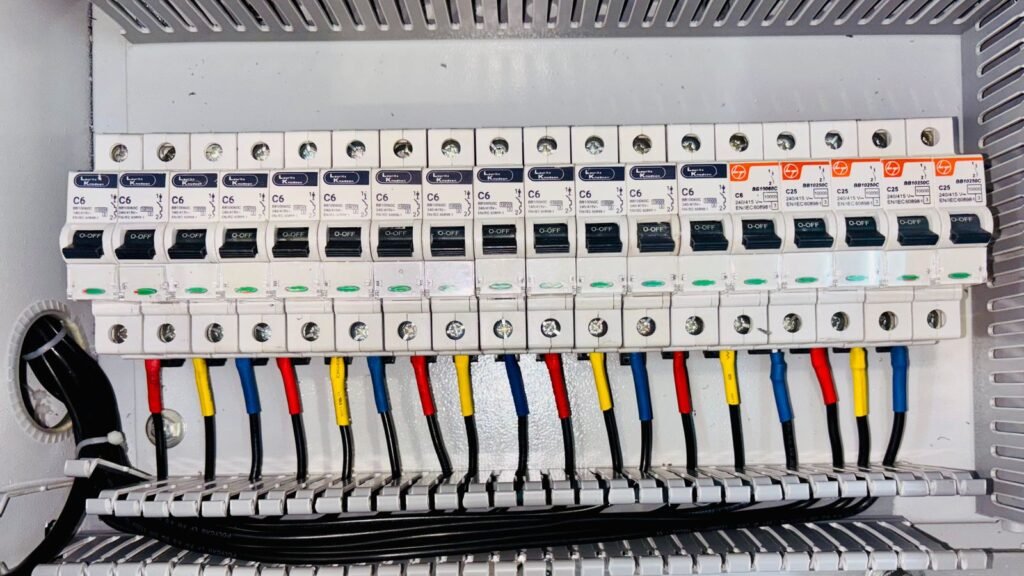
Featured visual: “Close-up of the Switches of a Machine” by Sean P. Twomey, via Pexels, used under the Pexels licence. The photograph is a generic industrial control image and does not depict Titania switch positions.