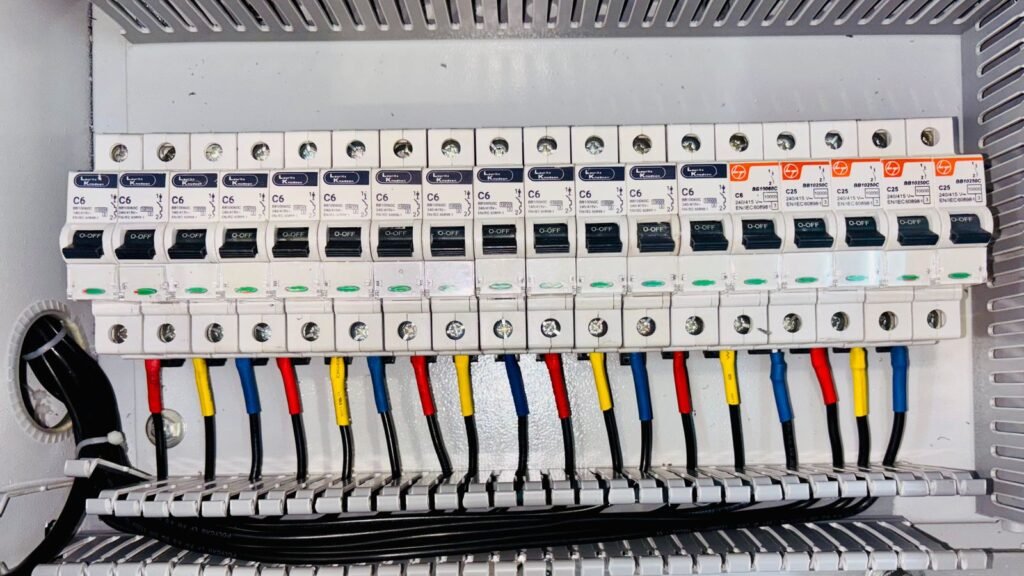

PyXis machine profile configuration connects vibration measurements to the machine that produced them. Motor frequency, gear ratio, gear-tooth count and bearing geometry give the diagnostic layer the context it needs to relate spectral features to shafts, gears and rolling elements. If those values describe a different machine, the sensor can still measure vibration accurately while the asset-specific interpretation becomes misleading.
The controlled PyXis 222x Series datasheet identifies an active machine profile together with configurable motor frequency, gear ratio, gear teeth and bearing geometry. It also exposes rotational information including RPM, tachometer quality, speed state and 1X order. These fields should be commissioned as one documented model, not as unrelated numbers entered during PLC testing.
PyXis machine profile configuration defines the mechanical reference
Condition indicators need a reference for what “once per revolution” means and where expected gear or bearing components should appear. PyXis provides that reference through machine-profile settings and combines it with measured vibration, temperature, harmonic information and rotational state.
The profile is not a substitute for knowing the asset. Before writing any configuration, the engineer should know which component the sensor is mounted on, which shaft speed is relevant, whether a gearbox sits between the motor and monitored point, and which bearing geometry applies at that location. A generic motor record is not enough for a sensor installed on a gearbox output housing.
The PyXis Smart 3-Axis Vibration Sensor publishes processed condition information over Modbus RTU. The host can read compact indicators without transporting continuous raw waveforms, but the configured machine context remains part of the measurement chain.
Collect the machine data before opening the register map
A usable configuration starts with controlled mechanical data. Obtain it from the equipment nameplate, gearbox documentation, bearing schedule, maintenance records and the released machine drawing. Record the source for each value so that a later replacement or overhaul can be assessed against the original model.
Motor and operating-frequency information
Record the applicable motor-frequency reference and the normal operating range for the machine. Variable-speed equipment needs more than one nominal value in a spreadsheet: note the minimum and maximum operating speeds, typical load points and whether speed feedback is continuously available to the monitoring system.
Do not assume that the electrical supply frequency, commanded drive frequency and actual shaft speed are interchangeable. Use the definition and scaling from the firmware-matched PyXis register map, then validate the resulting RPM and 1X information against an independent machine-speed reference.
Gear ratio and tooth counts
For a geared machine, record the ratio, the relevant input and output shafts, and the tooth counts for the gear pair being modelled. The sensor location matters. A housing-mounted sensor may see several meshes, but the configured profile should still describe the mechanical path associated with that monitoring point and the diagnostic functions supported by the installed firmware.
Do not round a gearbox ratio simply to make the value easy to enter. Use the released equipment data and confirm the required numeric format. If the register map uses a scaled integer, the scaling belongs in the commissioning record alongside the engineering value.
Bearing geometry
The PyXis machine-profile settings include bearing rolling-element count, ball size, pitch diameter and contact angle. These values should come from the bearing manufacturer or an approved asset record. A bearing family name alone may not uniquely identify the internal geometry, and a replacement bearing can change the profile even when the shaft and housing remain unchanged.
Where the exact geometry is unavailable, do not invent nominal dimensions. Mark the profile incomplete and limit diagnostic use accordingly until the data can be verified.
Map engineering values to firmware-specific data types
The datasheet describes capability, not every address, data type, unit or enumeration. Detailed implementation must use the Modbus register map and release note that match the installed firmware. This is particularly important for scaled values, active-profile selection and fields whose support varies by firmware.
A disciplined configuration sheet should contain four columns for every parameter:
- the engineering value and unit;
- the source document or nameplate;
- the register representation, including scaling and data type;
- the value read back after saving and restarting the sensor.
Keep the human-readable engineering value separate from the Modbus representation. This prevents a raw register value from being copied into a future project without its scale factor or unit.
Commission one profile against one physical asset
Configure the communication link and verify device identity before writing machine data. The sensor record should include the device code, hardware and firmware revision, manufacture date and serial number together with the asset tag. This confirms that the profile is being applied to the intended PyXis device.
A practical commissioning sequence is:
- Confirm rigid mounting, sensor location and X/Y/Z orientation.
- Read and record device identity and firmware information.
- Load the correct firmware-specific register map.
- Enter the active profile and verified mechanical parameters.
- Read every written value back before issuing the controlled persistent-save command.
- Restart under controlled conditions and repeat the read-back.
- Compare RPM, tachometer quality, speed state and 1X information with an independent speed reference.
- Capture representative healthy operation across the normal speed and load range before finalising thresholds or prognostic use.
The persistent-save and restart steps matter. A configuration that exists only in working memory may appear correct during setup and then disappear after a power interruption. The PyXis persistent-configuration guide covers the lifecycle controls in more detail.
Direct-coupled and geared machines need different evidence
Consider two monitoring points. The first is a sensor on a direct-coupled motor driving a centrifugal pump. The commissioning file should identify the motor and pump, sensor location and axes, normal speed range, the applicable bearing geometry, and the speed reference used to verify 1X.
The second sensor is mounted on a conveyor gearbox. Its file also needs the gearbox ratio, relevant gear-tooth counts and a clear statement of whether the monitoring point represents the input, intermediate or output side. Copying the direct-coupled motor profile into the gearbox sensor would preserve communications and vibration values but corrupt the mechanical context used for interpretation.
This is why a machine profile should be reviewed whenever a motor, gearbox, pulley, bearing or sensor location changes. The Modbus address can remain the same while the monitored mechanical system becomes materially different.
Check profile quality with several independent outputs
Do not validate the profile from one register alone. Compare the configured machine data with several available observations:
- RPM against a trusted tachometer, drive or process-speed reference;
- tachometer quality and speed state during steady and changing operation;
- 1X order behaviour at known operating speeds;
- per-axis vibration metrics and harmonic arrays against the sensor orientation;
- severity and fault state against the healthy baseline and operating condition.
A plausible RPM value does not prove that gear geometry or bearing data is correct. Conversely, a diagnostic state should not be accepted merely because it matches an operator’s expectation. Retain the source values, raw configuration, read-back and acceptance evidence together.
Profile changes belong under maintenance change control
Machine profiles are configuration-controlled engineering data. When a bearing or gearbox is replaced, compare the new part information with the stored profile before returning the monitoring point to service. Record the reason for the change, the firmware/register-map revision, who approved it and the healthy baseline captured afterwards.
For a fleet deployment, use a standard profile worksheet but do not assume that nominally identical machines share identical gearing, bearings or operating ranges. Site modifications and past repairs often create differences that are invisible in the PLC tag name.
Keep the application boundary explicit
PyXis can publish machine-aware condition, diagnostic and firmware-dependent prognostic information. Final interpretation still depends on mounting, load, speed, machine geometry, baseline quality and the supported firmware profile. The sensor is not a certified safety function, and machine-profile values should not be used to infer a safety claim.
If you are preparing a PyXis deployment, send Tachyonic Intelligence the machine type, sensor location, speed range, gearbox and bearing data, firmware/register-map revision and the controller platform. We can review the information required for a traceable commissioning record.
Request a PyXis machine-profile configuration review. The product selector and technical resources provide additional planning information.
Technical basis: PyXis 222x Series datasheet TTN-DS-2026-002, Rev 08, issued 22 July 2026. Photo by Ann H on Pexels, used under the Pexels licence.